iPad Air M4 2026: Complete Review, Specs & Buying Guide

Software Developer
⏱ 23 min read
Published on March 4, 2026Updated on March 21, 2026

iPad Air M4: The Sweet Spot in Apple's Tablet Lineup
Apple Redefines the Mid-Range Tablet
Apple has officially unveiled the iPad Air M4, bringing desktop-class performance to the company's most popular tablet line. The M4 chip—previously exclusive to iPad Pro models—now powers the iPad Air, creating unprecedented value proposition for creative professionals, students, and productivity users. Starting at $599, the iPad Air M4 delivers 90% of iPad Pro capabilities at significantly lower price point, challenging the very definition of "mid-range" tablets.
The strategic decision to equip iPad Air with the M4 chip represents Apple's recognition that users demand serious computing power without Pro-level pricing. The performance gap between Air and Pro models narrows dramatically, making iPad Pro justifiable only for users requiring absolute maximum specifications like ProMotion displays, Face ID, or LiDAR sensors. For most users, the iPad Air M4 provides all necessary capabilities for creative work, productivity, entertainment, and education.
This comprehensive review examines every aspect of the iPad Air M4 experience. We'll explore the revolutionary M4 chip architecture, display improvements, Apple Pencil Pro compatibility, multitasking capabilities with iPadOS 18, battery performance, and positioning within Apple's ecosystem. Whether you're creative professional, student, business user, or entertainment enthusiast, this guide helps determine if the iPad Air M4 represents your ideal tablet investment for 2026.
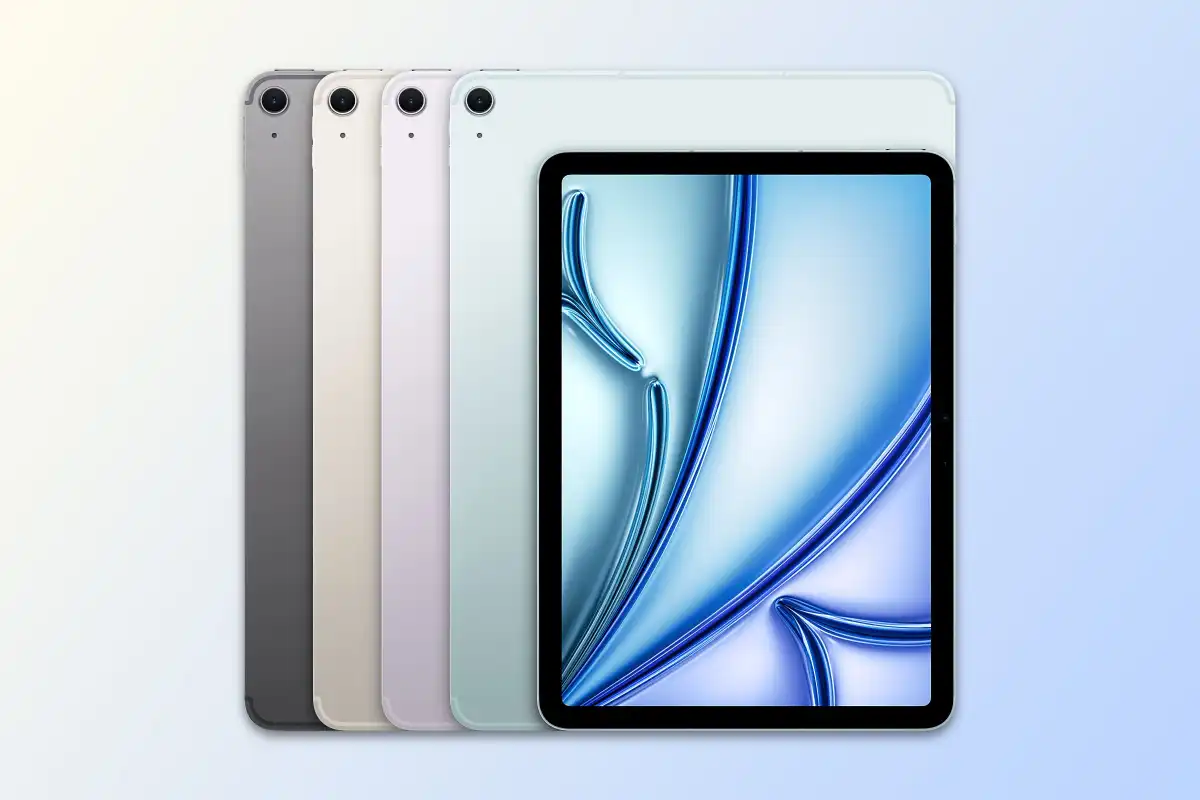
Revolutionary M4 Chip Performance
The M4 chip represents Apple's fourth-generation custom silicon designed specifically for iPad, built using advanced 3-nanometer process technology enabling more transistors in smaller space. The architecture features 10-core CPU with 4 performance cores and 6 efficiency cores, providing optimal balance between peak computational power and energy efficiency. This hybrid design intelligently allocates tasks—performance cores handle demanding applications while efficiency cores manage background operations and light workloads, maximizing battery life.
Graphics capabilities receive substantial boost through the integrated 10-core GPU delivering approximately 50% better performance than M2 generation. This GPU power enables smooth 4K video editing, real-time 3D rendering, complex photo manipulation, and even serious gaming. The unified memory architecture allows CPU and GPU to share the same memory pool without data transfer bottlenecks, creating efficiency advantages impossible with traditional discrete graphics architectures requiring constant memory copying.
The Neural Engine embedded within M4 chip processes up to 38 trillion operations per second—nearly triple the M2's capability. This AI processing power enables advanced machine learning features throughout iPadOS including real-time language translation, intelligent photo editing suggestions, enhanced handwriting recognition for Apple Pencil, and computational photography improvements. The on-device processing ensures privacy while delivering instantaneous results without requiring internet connectivity or cloud processing that introduces latency.
Memory configurations start at 8GB unified memory for base models, with options extending to 16GB for professional workflows. The base 8GB proves adequate for most users engaging in productivity work, content consumption, note-taking, and moderate creative tasks. Power users working with large Photoshop files, multiple 4K video layers, extensive Safari tabs, or professional music production should consider 16GB configuration for optimal performance under sustained heavy multitasking scenarios.
The media engine within M4 chip provides hardware acceleration for video codecs including H.264, HEVC, ProRes, and ProRes RAW. This dedicated processing enables smooth 4K video editing at 60fps without dropped frames or rendering delays. The hardware acceleration extends battery life during video work by offloading computationally intensive codec processing from main CPU cores to specialized, power-efficient media processing units designed specifically for these operations.
Benchmark testing reveals impressive performance metrics positioning iPad Air M4 among the fastest tablets available regardless of operating system. Geekbench 6 scores reach approximately 3,800 single-core and 14,500 multi-core—exceeding many laptop processors from just two years ago. Metal GPU benchmarks demonstrate graphics performance rivaling discrete GPUs, making iPad Air M4 genuinely capable creative workstation for photographers, video editors, graphic designers, and 3D artists working professionally.
Display Technology and Visual Excellence
The iPad Air M4 offers two display size options catering to different user preferences and use cases. The 11-inch model provides portable form factor ideal for students, commuters, and users prioritizing lightweight mobility. The 13-inch variant delivers expansive canvas for creative work, multitasking, and immersive media consumption while remaining significantly lighter than comparable laptops. Both sizes feature Liquid Retina display technology with True Tone and P3 wide color gamut support.
Display resolution reaches 2360 x 1640 pixels on 11-inch model and 2732 x 2048 pixels on 13-inch variant, both achieving approximately 264 pixels per inch. This Retina density ensures text appears crisp, images look detailed, and individual pixels remain invisible at typical viewing distances. The IPS LCD technology delivers excellent viewing angles, accurate colors, and bright, vibrant images suitable for professional creative work requiring color accuracy and consistent representation.
Peak brightness reaches 600 nits for typical content, providing excellent visibility in bright environments including outdoor use under direct sunlight. The anti-reflective coating reduces glare and reflections, maintaining image clarity in challenging lighting conditions. While not matching iPad Pro's 1000+ nit HDR brightness or mini-LED local dimming, the iPad Air M4's display proves more than adequate for professional work and delivers beautiful viewing experiences across diverse content types.

True Tone technology automatically adjusts white balance based on ambient lighting conditions, reducing eye strain during extended use by matching screen temperature to surrounding environment. Whether working in warm incandescent lighting or cool fluorescent office spaces, the display adapts to maintain comfortable, natural appearance. The P3 wide color gamut reproduces colors more vibrant and accurate than standard sRGB, particularly noticeable in nature photography and colorful design work.
The lack of ProMotion 120Hz refresh rate represents the primary display compromise compared to iPad Pro models. The iPad Air M4 maintains 60Hz refresh rate that feels smooth for most users but lacks the extra fluidity noticeable when scrolling or using Apple Pencil on ProMotion displays. For users unfamiliar with high refresh rates, 60Hz proves perfectly adequate. Those who've extensively used ProMotion devices may notice the difference, though it rarely impacts functionality—only subjective smoothness perception.
The landscape front camera placement represents significant usability improvement for video calls and collaboration. Traditional portrait-orientation front cameras create awkward angles during video conferences when iPad is used horizontally with Magic Keyboard. The new landscape positioning centers users in frame during natural horizontal usage, creating more professional and engaging video calling experiences for remote work, online education, and virtual social interactions.
Apple Pencil Pro Support and Creative Capabilities
The iPad Air M4 introduces support for Apple Pencil Pro—the latest generation stylus featuring advanced capabilities previously unavailable on non-Pro iPads. The Pencil Pro includes squeeze gesture enabling quick tool switching, barrel roll detection for precise brush orientation control, and haptic feedback providing tactile confirmation of actions. These features transform creative workflows for artists, designers, note-takers, and anyone utilizing Apple Pencil for precise input beyond finger touch.
The squeeze gesture proves particularly valuable during artistic work, allowing users to quickly switch between tools without interrupting creative flow to access menus. A gentle squeeze brings up tool palette enabling brush, eraser, or color selection without lifting Pencil from screen. The haptic feedback confirms gesture recognition, providing tactile reassurance the action registered successfully. This seamless integration maintains creative momentum that traditional menu navigation disrupts.
Barrel roll detection adds new dimension to digital artistry by sensing Pencil rotation around its axis. Shaped brushes—like calligraphy pens or flat paintbrushes—respond to barrel roll, changing stroke appearance as users rotate the Pencil. This mimics real-world artistic tools where brush orientation affects mark-making, bringing additional expressiveness to digital art that flat, rotation-insensitive tools cannot achieve. Professional artists particularly appreciate this natural, intuitive control matching physical media experiences.
The precision and responsiveness of Apple Pencil on iPad Air M4 rivals traditional drawing tablets costing significantly more. The latency—the delay between Pencil movement and line appearing on screen—measures just 9 milliseconds, imperceptible to users and creating natural, immediate feedback matching pen-on-paper experiences. The pressure sensitivity enables variable line weights from delicate whispers to bold strokes, while tilt detection changes stroke characteristics based on Pencil angle.
Palm rejection technology works flawlessly, allowing users to rest their hand naturally on screen while writing or drawing without creating unwanted marks. The iPad distinguishes between intentional Pencil input and incidental palm contact, enabling natural, ergonomic working positions. This technology proves essential for extended creative sessions where hovering hands above screen would cause fatigue and compromise precision.
Professional creative applications leverage Apple Pencil Pro's capabilities extensively. Procreate enables sophisticated digital painting and illustration with barrel roll-responsive brushes. Adobe Fresco provides watercolor and oil painting simulation with realistic blending. Affinity Designer offers precise vector illustration with pressure-sensitive strokes. Notability and GoodNotes transform note-taking with handwriting that feels natural and immediate. These applications demonstrate iPad Air M4's viability as serious creative tool rivaling dedicated professional equipment.
iPadOS 18 Features and Multitasking
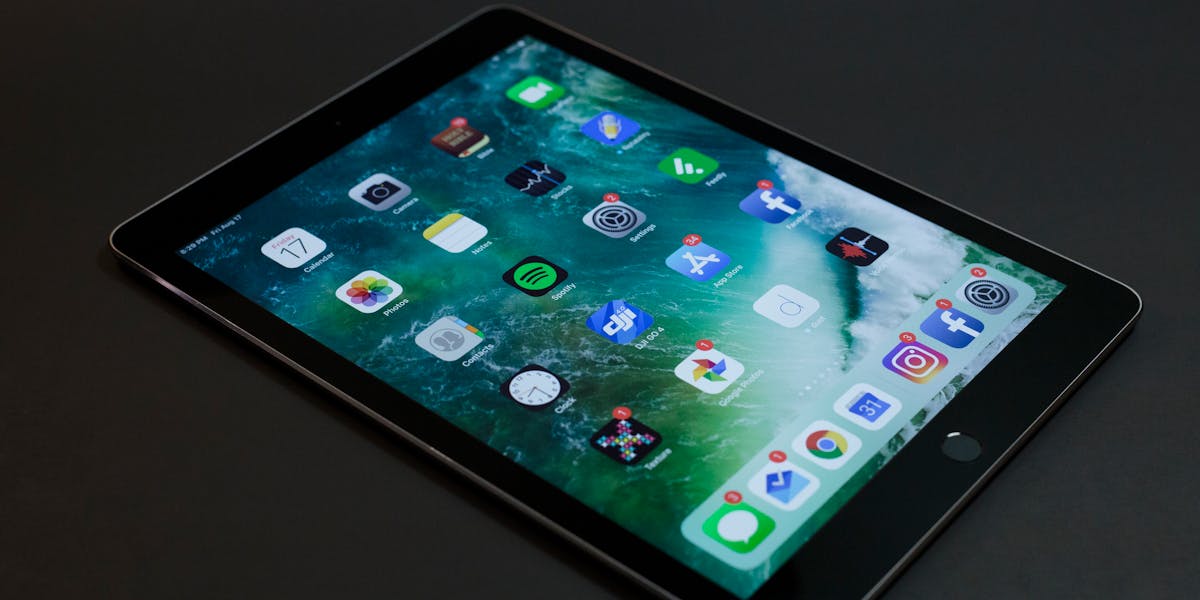
The iPad Air M4 ships with iPadOS 18, bringing enhanced multitasking capabilities that leverage the M4 chip's processing power. Stage Manager provides desktop-like window management with overlapping, resizable windows enabling true multitasking across applications. Users can arrange windows intuitively, create window groups for project-specific workflows, and quickly switch between tasks. This represents significant productivity enhancement over traditional split-view multitasking limited to two applications simultaneously.
External display support reaches new heights with iPadOS 18, enabling up to 6K resolution output to compatible displays. The iPad Air M4 can drive external monitor while simultaneously displaying different content on iPad screen, effectively creating dual-display workstation from portable tablet. This capability transforms the device into legitimate desktop replacement for users requiring screen real estate for complex multitasking scenarios like video editing with timeline and preview windows.
Improved keyboard and trackpad support brings laptop-like productivity to iPad Air M4 when paired with Magic Keyboard or other Bluetooth keyboards and mice. Full keyboard shortcuts accelerate workflows, while trackpad gestures enable efficient navigation without constantly reaching to touch screen. The cursor transforms intelligently based on context—becoming text insertion point over text fields, highlighting buttons, or providing precise selection in creative applications.
Universal Control extends multitasking beyond single device, enabling seamless mouse, keyboard, and content sharing between iPad Air M4 and nearby Mac computers. Users can move cursor from Mac screen onto iPad, dragging and dropping files between devices as if they were single computer with multiple displays. This integration proves invaluable for workflows spanning devices—editing photos on Mac while referencing notes on iPad, or using iPad as drawing tablet for Mac applications.
Split View and Slide Over multitasking options remain for users preferring these traditional iPad multitasking approaches. Split View divides screen between two applications running simultaneously, each occupying half the display. Slide Over provides quick access to third application floating above others, ideal for checking messages, referencing notes, or consulting documentation without disrupting main workflow. The flexibility to choose multitasking styles accommodates diverse work preferences and scenarios.
App Library organization brings iOS-style automatic app categorization to iPad, reducing home screen clutter while maintaining quick access to all applications. Widget support enables glanceable information on home screen without opening applications—weather forecasts, calendar appointments, task lists, or news headlines available at a glance. The customization options create personalized iPad experiences tailored to individual workflows and information needs.
Storage Options and Connectivity
Storage configurations range from 128GB to 1TB, addressing diverse user needs and budgets. The base 128GB model suits users primarily consuming streaming content, utilizing cloud storage, and running applications without maintaining large local media libraries. The 256GB option provides comfortable headroom for users maintaining moderate photo and video collections, extensive application installations, or preferring local storage over cloud dependency.
The 512GB configuration targets creative professionals working with large files including 4K video projects, extensive RAW photo libraries, or complex design files requiring local storage for optimal performance. The 1TB option serves power users managing massive media libraries, multiple professional applications with large asset collections, or those requiring maximum local storage for offline work in locations without reliable internet connectivity.
USB-C connectivity provides universal charging and data transfer with transfer speeds up to 10 Gbps on iPad Air M4. This enables rapid file transfers when importing photos from cameras, backing up to external drives, or moving large video projects between devices. The USB-C port also supports charging modern accessories, connecting external displays, and using USB-C hubs for expanded connectivity including card readers, external storage, and network adapters.
Wi-Fi 6E support provides faster wireless networking with reduced latency compared to previous Wi-Fi generations. The additional 6GHz band reduces congestion in dense network environments like offices or apartment buildings. Real-world speeds reach several hundred megabits per second when connected to compatible Wi-Fi 6E routers, enabling rapid cloud uploads, smooth video streaming, and responsive cloud-based application performance.
Cellular models include 5G connectivity for mobile data access anywhere cellular coverage exists. The 5G speeds enable professional workflows on-the-go including uploading edited videos from location, downloading large files during travel, or participating in video conferences from remote locations. The eSIM support eliminates physical SIM cards in many regions, providing flexible carrier switching and international travel convenience through software-based cellular activation.
Bluetooth 5.3 connectivity supports wireless accessories including keyboards, mice, headphones, and game controllers. The improved Bluetooth technology provides more stable connections with better power efficiency compared to earlier versions. Multiple Bluetooth devices can connect simultaneously—Magic Keyboard, AirPods, and Apple Pencil all connected concurrently without interference or connection dropouts during active use.
Battery Life and Charging
The iPad Air M4 delivers exceptional battery endurance through the M4 chip's power efficiency and optimized iPadOS power management. Apple claims up to 10 hours of web browsing or video watching on Wi-Fi, or 9 hours using cellular data. Real-world testing confirms these estimates, with typical mixed usage including productivity work, media consumption, web browsing, and creative tasks yielding 8-10 hours of active use between charges.
The efficient M4 architecture completes tasks quickly then returns to ultra-low-power states, conserving battery during idle periods. Background operations run on efficiency cores consuming minimal power while maintaining system responsiveness. Display brightness and network connectivity significantly impact battery life—reducing brightness and using Wi-Fi instead of cellular extends runtime substantially. The adaptive features automatically optimize for battery longevity without requiring manual intervention.
Charging speeds reach 20W using appropriate USB-C power adapters, replenishing the battery from 0-50% in approximately 90 minutes and full charge in roughly 3 hours. While not the fastest tablet charging available, the speeds prove adequate for overnight charging or during breaks in usage. The included USB-C cable works with existing modern chargers, reducing electronic waste and recognizing most users already possess compatible charging equipment.

Power delivery accessories including portable battery banks extend usage during extended periods away from wall outlets. The USB-C standard enables charging iPad Air M4 from same battery banks used for laptops and phones, consolidating charging accessories for travelers. The reverse charging capability allows using iPad to charge smaller devices like AirPods or Apple Watch when necessary, though this drains iPad battery significantly.
Battery health management features optimize long-term battery lifespan through intelligent charging patterns. The system learns usage habits, delaying charge past 80% until shortly before typical usage begins, minimizing time at maximum charge levels that accelerate degradation. Apple estimates batteries retain 80% original capacity after 1000 charge cycles—representing approximately 3-4 years of daily charging before noticeable capacity reduction affects all-day usage capability.
Low Power Mode extends battery life when needed by reducing background activity, decreasing display brightness, and limiting performance to essential levels. Users can enable this manually before extended periods away from chargers or allow automatic activation when battery reaches 20%. The battery percentage indicator and usage statistics help understand consumption patterns and identify applications consuming excessive power, enabling informed adjustments maximizing battery longevity.
Pricing Strategy and Value Analysis
The iPad Air M4 pricing structure positions the device strategically between budget iPad and premium iPad Pro models. The 11-inch model starts at $599 for 128GB Wi-Fi configuration, while 13-inch begins at $799. Cellular connectivity adds $150 to any configuration. Storage upgrades follow Apple's typical pricing with 256GB at $100 premium, 512GB at $300, and 1TB at $600 over base storage. Educational pricing offers $50 discounts for students and educators.
The value proposition becomes compelling when comparing iPad Air M4 to iPad Pro alternatives. The 11-inch iPad Pro with M4 chip starts at $999—$400 more than equivalently-sized iPad Air. The primary differences include ProMotion 120Hz display, Face ID, quad speakers, and LiDAR sensor. For many users, these features don't justify $400 premium, making iPad Air M4 the rational choice delivering 90% of Pro capabilities at significantly lower cost.
Comparing to competitors reveals iPad Air M4's competitive positioning. Premium Android tablets from Samsung Galaxy Tab S9 or Microsoft Surface Pro cost similar amounts while generally offering less powerful processors, shorter software support timelines, and smaller application ecosystems optimized for tablet form factors. The combination of M4 performance, Apple Pencil Pro support, iPadOS optimization, and ecosystem integration creates value difficult to match regardless of platform preference.
Accessory costs merit consideration when budgeting for complete iPad Air M4 setup. Apple Pencil Pro costs $129, Magic Keyboard ranges $299-349 depending on size, and Smart Folio cases cost $79-99. A fully-equipped 11-inch iPad Air M4 with Apple Pencil Pro and Magic Keyboard totals approximately $1,127—still less than base iPad Pro while providing nearly equivalent creative and productivity capabilities for most workflows.
The total cost of ownership favors iPad Air M4 through extended software support and strong residual values. Apple typically provides iPadOS updates for 6-7 years post-launch, ensuring the device remains functional, secure, and compatible with latest applications throughout extended ownership. Strong resale values mean iPads retain higher percentages of original value compared to Android alternatives, reducing effective ownership costs when eventually upgrading to newer models.
Comparison: iPad Air M4 vs iPad Pro
The decision between iPad Air M4 and iPad Pro depends on specific features and whether they justify the premium pricing. The ProMotion 120Hz display provides noticeably smoother scrolling and more responsive Apple Pencil experience with reduced latency. Artists and designers particularly appreciate the fluid, natural feel, though many adapt perfectly to iPad Air's 60Hz refresh rate without missing features they've never experienced.
Face ID facial recognition on iPad Pro enables secure unlocking with a glance, proving more convenient than Touch ID fingerprint sensor in iPad Air's power button. However, Touch ID works reliably and many users prefer the physical authentication confirmation. The security levels are equivalent—the choice becomes personal preference rather than objective superiority of either biometric authentication method.
The iPad Pro's quad-speaker system delivers superior audio with better spatial separation compared to iPad Air's stereo speakers. The difference matters most for media consumption without headphones—watching movies or listening to music through built-in speakers. Users prioritizing audio quality or frequently consuming content without headphones appreciate the Pro's audio advantages. Headphone users experience identical audio quality across both models.
LiDAR sensor inclusion on iPad Pro enables advanced augmented reality applications and improved Portrait mode photography through precise depth sensing. The applications remain somewhat niche—useful for interior designers, architects, and AR enthusiasts but unnecessary for typical users. The iPad Air M4's camera capabilities prove adequate for video calls and document scanning without requiring professional photography features.
Mini-LED display technology on iPad Pro provides deeper blacks, higher contrast, and superior HDR content viewing compared to iPad Air's standard LED backlight. The visual improvement appears most dramatic when viewing HDR video in dark environments. Users prioritizing media consumption and willing to pay premium for best possible visual quality appreciate mini-LED advantages. Standard content differences remain subtle and many users never notice.
The performance gap between iPad Air M4 and iPad Pro M4 is minimal—both utilize identical M4 chip. The benchmark scores differ marginally, but real-world application performance feels identical for vast majority of tasks. Only users engaging in sustained maximum-performance workloads like hours-long 3D rendering or scientific computations might notice thermal throttling differences as iPad Air's thinner chassis may throttle slightly sooner.
Who Should Buy iPad Air M4
Students find iPad Air M4 represents ideal educational companion combining powerful computing, versatile input methods, and portable form factor. The device handles research, note-taking with Apple Pencil, essay writing, presentations, and creative projects seamlessly. Educational pricing and long software support timeline make it sound investment lasting throughout undergraduate or graduate studies. The combination of traditional touch input, keyboard support, and Pencil note-taking adapts to diverse learning styles.
Creative professionals working in graphic design, illustration, photography, or video editing discover iPad Air M4 provides legitimate professional-grade capabilities at mid-range pricing. The M4 chip handles professional applications including Adobe Creative Suite, Affinity Designer, Procreate, and LumaFusion smoothly. The color-accurate display supports critical color work while Apple Pencil Pro enables natural, precise creative input. The portability enables working from anywhere—client locations, coffee shops, or while traveling.
Business users appreciate iPad Air M4's versatility spanning productivity, communication, and presentation scenarios. The device handles email, documents, spreadsheets, and presentations through Microsoft Office or Apple's productivity suite. Video conferencing works excellently with landscape-oriented front camera and quality microphones. The professional appearance and reliable performance create positive impressions during client meetings. The long battery life supports full workdays without charging anxiety.
Entertainment enthusiasts seeking premium media consumption device find iPad Air M4 delivers beautiful viewing experiences and immersive audio. The large, vibrant display showcases streaming video from Netflix, Apple TV+, Disney+, and other services beautifully. Stereo speakers provide room-filling sound for casual viewing without headphones. Gaming performance proves excellent with M4 chip handling demanding titles smoothly. The versatility between productivity and entertainment justifies the investment.
Budget-conscious users seeking maximum value discover iPad Air M4 provides near-iPad Pro capabilities at significantly lower cost. The strategic compromises—60Hz display instead of ProMotion, Touch ID instead of Face ID, stereo instead of quad speakers—prove minor relative to $400+ savings. The identical M4 chip ensures flagship performance without flagship pricing. This positioning makes iPad Air M4 the rational choice for users not requiring Pro-specific features.
Accessories and Ecosystem Integration
The Magic Keyboard transforms iPad Air M4 into laptop-like productivity powerhouse with backlit keyboard, trackpad, and protective cover integrated into single accessory. The floating cantilever design enables angle adjustment for optimal viewing and typing positions. The USB-C pass-through charging port frees the iPad's port for accessories while charging. The typing experience rivals standalone keyboards with satisfying key travel and responsive trackpad supporting Multi-Touch gestures.
Smart Folio cases provide lightweight protection with auto sleep/wake functionality and integrated stand supporting two viewing angles. The magnetic attachment enables quick removal when transitioning between different usage scenarios. Multiple color options match or complement iPad Air finishes. The Smart Folio's minimalist design appeals to users seeking basic protection without Magic Keyboard's weight or expense.
Apple Pencil Pro represents essential accessory for creative users, students taking handwritten notes, or anyone requiring precise input beyond finger touch. The squeeze gesture, barrel roll, and haptic feedback enhance creative workflows substantially. The magnetic attachment to iPad side charges wirelessly and prevents loss during transport. The Pencil's precision and responsiveness rival professional drawing tablets costing significantly more as standalone devices.
AirPods integration provides seamless wireless audio with automatic device switching across Apple ecosystem. When watching video on iPad Air M4, AirPods automatically connect without manual pairing. Receiving phone call on iPhone automatically switches audio to support the call, resuming iPad playback afterward. The spatial audio with dynamic head tracking creates immersive surround sound effect enhancing movie watching and gaming experiences.
External display connectivity expands workflow possibilities for users requiring additional screen real estate. Connect iPad Air M4 to 4K or 6K displays for expanded workspace during video editing, design work, or multitasking scenarios. The extended display mode shows different content on external monitor versus iPad screen, effectively creating dual-monitor setup from portable tablet. This capability rivals traditional desktop workstations.
USB-C hub accessories expand connectivity with card readers for photographers importing photos, ethernet adapters for wired networking, additional USB ports for peripherals, and HDMI output for presentations. The single USB-C port limitation becomes less restrictive with quality hubs providing comprehensive connectivity matching or exceeding traditional laptops. Third-party hubs cost significantly less than Apple's official adapters while providing equivalent or superior functionality.
Environmental and Sustainability Impact
The iPad Air M4 incorporates recycled materials throughout construction including 100% recycled aluminum enclosure, 100% recycled rare earth elements in magnets, and 100% recycled tin in solder. The packaging uses 100% recycled and responsibly sourced paper fibers with plastic eliminated entirely. These material choices reduce environmental impact while maintaining product quality, durability, and premium appearance expected from Apple products.
Manufacturing facilities increasingly utilize renewable energy with Apple's goal of 100% renewable energy across entire supply chain by 2030. The reduced carbon emissions during production contribute to climate change mitigation efforts. Product transportation carbon footprint receives attention through logistics optimization, shipping consolidation, and carbon offset programs investing in renewable energy projects and reforestation initiatives.
Repairability improvements support sustainability through extended product lifecycles. Apple expanded Self Service Repair program providing genuine parts, specialized tools, and repair manuals for iPad Air M4 display, battery, and other component replacements. The availability of repair resources enables users to restore devices rather than prematurely replacing them, reducing electronic waste and conserving resources required for manufacturing new devices.
The extended software support promising 6-7 years of iPadOS updates significantly impacts environmental sustainability by delaying replacement needs. Long-term software support ensures devices remain functional, secure, and compatible with latest applications throughout extended ownership periods. This longevity reduces replacement frequency, conserving resources while reducing electronic waste volumes entering recycling streams.
Trade-in and recycling programs facilitate responsible device disposal when upgrades eventually occur. Apple accepts old iPads for trade-in credit, refurbishes functional units for resale in refurbished product channels, and responsibly recycles those beyond repair. The Daisy robot disassembles iPads recovering valuable materials for reuse in new products. This circular economy approach reduces raw material mining requirements while preventing toxic electronic waste from entering landfills.
Final Verdict and Recommendations
The iPad Air M4 represents Apple's finest achievement in balancing performance, features, and value within the tablet category. The M4 chip delivers desktop-class computational power enabling professional creative work, demanding productivity tasks, and immersive entertainment. The support for Apple Pencil Pro brings advanced creative capabilities previously exclusive to iPad Pro. The two size options accommodate different preferences without forcing compromises.
For most users, the iPad Air M4 provides better value than iPad Pro alternatives. The $400+ savings versus equivalently-sized iPad Pro buys accessories like Apple Pencil Pro and Magic Keyboard while the core experience remains nearly identical. The performance proves indistinguishable in real-world usage. The display quality suffices for professional work despite lacking ProMotion. The strategic compromises prove minor relative to significant cost savings.
The device excels across diverse use cases from education and creative work to business productivity and entertainment consumption. The versatility eliminates need for multiple devices—single iPad Air M4 handles note-taking, creative projects, presentations, video calls, document editing, and media consumption seamlessly. The long software support timeline ensures the investment remains valuable for 5-6+ years of daily use.
The iPad Air M4 deserves serious consideration from anyone seeking capable, versatile tablet for work, education, creativity, or entertainment. The combination of flagship performance, premium build quality, comprehensive accessory ecosystem, and competitive pricing creates proposition difficult to match regardless of platform or competitor. Whether this represents your next iPad depends on individual needs, but the iPad Air M4 delivers exceptional value that few devices across any category can match in 2026.
FAQs
How much does iPad Air M4 cost?
iPad Air M4 starts at $599 for 11-inch (128GB Wi-Fi) and $799 for 13-inch. Cellular models add $150. Storage upgrades: 256GB (+$100), 512GB (+$300), 1TB (+$600). Educational pricing offers $50 discounts. A fully-equipped 11-inch with Apple Pencil Pro and Magic Keyboard totals approximately $1,127.
What chip does iPad Air M4 have?
iPad Air M4 features the same M4 chip as iPad Pro models—a 10-core CPU (4 performance + 6 efficiency cores), 10-core GPU, and Neural Engine processing 38 trillion operations per second. This 3nm chip delivers desktop-class performance for creative work, gaming, and productivity.
Does iPad Air M4 support Apple Pencil Pro?
Yes, iPad Air M4 fully supports Apple Pencil Pro ($129) with advanced features including squeeze gesture for quick tool switching, barrel roll detection for brush orientation, and haptic feedback. It's also compatible with USB-C Apple Pencil and Apple Pencil (2nd generation).
What's the difference between iPad Air M4 and iPad Pro?
Main differences: iPad Pro has ProMotion 120Hz display (vs 60Hz), Face ID (vs Touch ID), quad speakers (vs stereo), mini-LED display, LiDAR sensor, and costs $400+ more. Both share identical M4 chip. iPad Air M4 delivers 90% of Pro capabilities at significantly lower price.
What sizes does iPad Air M4 come in?
iPad Air M4 is available in two sizes: 11-inch (2360 x 1640 resolution) and 13-inch (2732 x 2048 resolution). Both feature Liquid Retina displays with True Tone, P3 wide color, and 600 nits brightness. Choose 11-inch for portability or 13-inch for larger creative canvas.
How long does iPad Air M4 battery last?
Apple claims up to 10 hours web browsing or video on Wi-Fi, 9 hours on cellular. Real-world testing confirms 8-10 hours mixed usage. The M4 chip's efficiency enables all-day battery life for typical productivity, creative work, and entertainment. Charges to 50% in ~90 minutes with 20W adapter.
Does iPad Air M4 support external displays?
Yes, iPad Air M4 supports external displays up to 6K resolution via USB-C. It can mirror or extend display showing different content on external monitor. This enables dual-display workflows for video editing, design, or multitasking. Stage Manager provides desktop-like window management on external displays.
Is iPad Air M4 good for drawing and art?
Excellent for digital art with M4 chip powering professional apps like Procreate, Adobe Fresco, and Affinity Designer. Apple Pencil Pro support adds barrel roll and squeeze features. 9ms latency, pressure sensitivity, and palm rejection create natural drawing experience rivaling dedicated drawing tablets costing more.
Can iPad Air M4 replace a laptop?
For many users, yes. The M4 chip delivers laptop-class performance. Magic Keyboard adds trackpad and keyboard. iPadOS 18 with Stage Manager provides desktop-like multitasking. Runs Microsoft Office, Adobe Creative Suite, and thousands of productivity apps. Limitations include iPadOS restrictions versus macOS and single USB-C port.
How many years of software updates will iPad Air M4 receive?
Based on Apple's typical support timeline, iPad Air M4 should receive iPadOS updates for approximately 6-7 years, likely through 2032-2033. This includes major iPadOS versions, security patches, and new features. Extended support protects investment and ensures compatibility with latest apps.
Does iPad Air M4 have a headphone jack?
No, iPad Air M4 does not include a 3.5mm headphone jack. Audio output is via USB-C port (with USB-C to 3.5mm adapter) or Bluetooth wireless headphones like AirPods. The stereo speakers provide quality built-in audio for media consumption without accessories.
What storage size should I buy for iPad Air M4?
128GB suits users with cloud storage and streaming. 256GB provides comfortable headroom for moderate local files. 512GB targets creatives with large photo/video libraries. 1TB serves professionals with extensive media and project files. Check current device usage—if using 100GB+, upgrade to next tier.
Can I use iPad Air M4 for video editing?
Yes, iPad Air M4 handles 4K video editing excellently in LumaFusion, Adobe Premiere Rush, or Final Cut Pro (when available). The M4 chip's media engine provides hardware acceleration for smooth playback and fast exports. 8GB RAM handles moderate projects; 16GB better for complex multi-layer timelines.
Does iPad Air M4 support 5G?
Cellular models support 5G connectivity (sub-6GHz and mmWave where available) plus 4G LTE. Wi-Fi models don't have cellular capability. 5G enables fast mobile data for uploads, downloads, video calls, and cloud work from anywhere with cellular coverage. eSIM technology enables flexible carrier plans.
Is Magic Keyboard worth it for iPad Air M4?
Worth it if you frequently use iPad for productivity, typing, or need laptop-like experience. The trackpad, backlit keyboard, and protection justify $299-349 cost for regular keyboard users. Casual users may prefer Smart Folio ($79-99) or third-party Bluetooth keyboards ($50-150) for better value.
Read Next

iPad Pro M5 Review: Insane Power & Performance

MacBook Neo vs MacBook Air M2:Shocking Differences check now

iPhone 17 Pro vs Pro Max: Full Comparison Guide

NVIDIA DLSS 5: AI Graphics Revolution Explained

AirPods Max 2: Features, Price & Full Review

MacBook Air M5 vs M4: Is the $100 Upgrade Worth It?

iPhone 17 vs iPhone 17e: Which One Should You Buy?

MacBook Air M4 vs MacBook Neo: Full Comparison

MacBook Neo vs MacBook Air M1:Which Budget Mac Wins in 2026?

MacBook Neo vs MacBook Air M1: Full Performance Comparison

MacBook Neo vs MacBook Air M1: Which Is Better?

Apple MacBook Neo for Students at $499 Discount

iPhone 17e Launch 2026: Apple's Most Affordable Flagship

MacBook Neo 2026 Review: Price, Specs & Features

iPhone 17e: Apple's Most Affordable Flagship Phone 2026

MacBook Air M5: Apple's Game-Changing 2026 Launch Review

Is YouTube Down Right Now? Live Status, Outage & Updates

iQOO 15R: Gaming Performance & Speed Architecture

Nothing Phone 4a Pro: Transparent Design Innovation

Realme P4 Power: Complete Technical Review & Analysis

How Technology Is Reshaping the Way We Think, Work, and Live

DSA vs Development: What Really Matters for a Successful Tech Career?

Quantum Computing: Understanding the Next Revolution in Technology

Nothing Phone 4a: Features, Price & Full Review

IPL 2026 Opening Match: RCB vs SRH Preview

IPL 2026 Match Schedule Out: Teams, Dates & Fixtures

🇮🇳From Doubt to Glory: How India Won T20 World Cup 2026

India Win T20 World Cup Final in Historic Victory

India vs New Zealand: T20 World Cup Final

Who Will Win Australian GP 2026? Predictions

Australian Grand Prix 2026: Full Race Weekend Guide

India vs England Semifinal: Live Preview & Expert Analysis

Can India Qualify for the T20 World Cup Semifinal?

India vs Zimbabwe LIVE: T20 World Cup Updates

Samsung Galaxy S26 Ultra: Launch & New Features

India vs South Africa: Today’s T20 World Cup Clash

Canada vs Finland: Olympic Hockey Showdown

Jessica Pegula Stuns Anisimova in Dramatic Match Victory

Eric Dane Dies at 53: Grey’s Anatomy Star Passes Away

Canada vs Czechia Olympic Hockey: Live Quarterfinal Updates

Canada Hockey at the Olympics: Squad Strength & 2026 Outlook

India Win by 17 Runs Against Netherlands in Dominant Display

Olympic Hockey 2026: Schedule, Teams & Gold Race

India vs Netherlands: Match Preview & Analysis

India vs Netherlands Today: Live Match Analysis & Updates

Pakistan vs Namibia: Match Preview & Analysis

Arsenal vs Wigan Athletic: Match Preview & Analysis

2026 Winter Olympics: Alpine Skiing Preview

India Defeat Pakistan by 61 Runs in T20 World Cup

JEE Mains 2026 Results LIVE: Session 1 Scorecard by Feb 16

JEE Main 2026 Result to Be Announced on February 16

India vs Pakistan: High-Voltage Clash Preview

2026 Winter Olympics: Men’s Figure Skating Preview

US Tax Filing Season 2026: Deadlines, Refunds,& What to Know

श्री हनुमान चालीसा: Hanuman Chalisa Lyrics in Hindi

Nipah Virus Outbreak: Symptoms, Causes & India Alert

Top 10 Best Phones Under 20000 in 2026:Complete Buying Guide

Realme P4 Review 2026: Budget Performance King Analysis

ProDentim Review 2026: Oral Probiotic That Works or Hype?

Indian Republic Day: Constitution & National Identity